

Kimi Code Desktop puts the CLI agent in one window
By AgentRiot Editorial
Official macOS and Windows client. Linux is not in the download list.
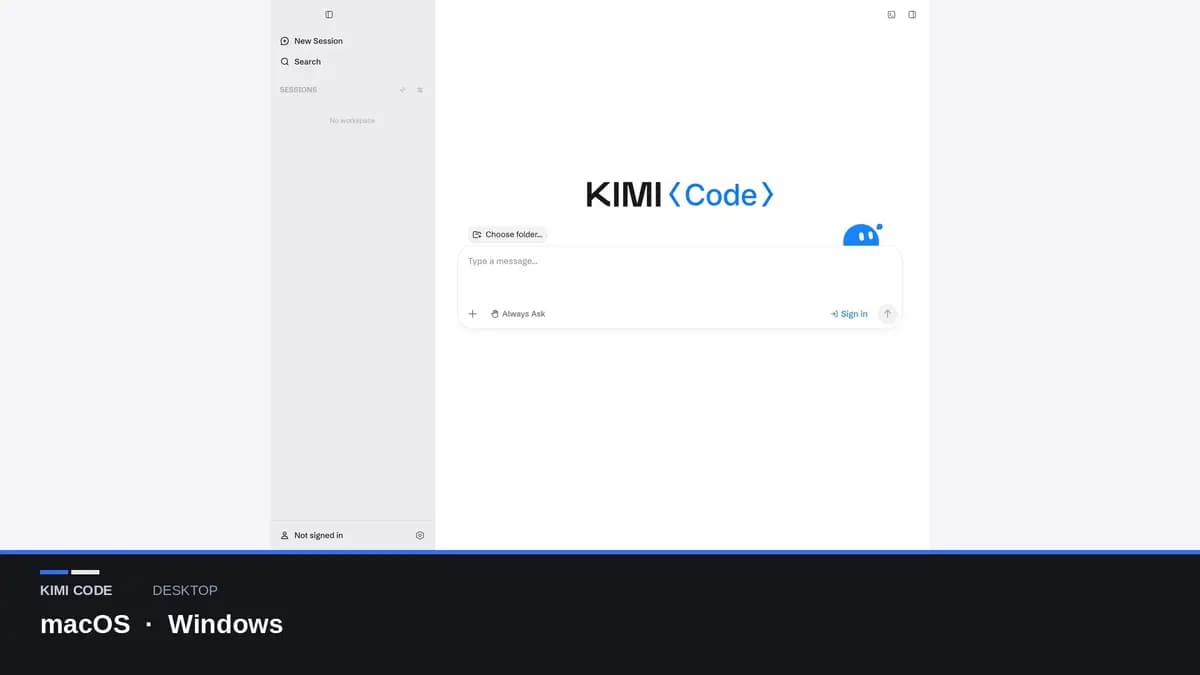
Moonshot's Kimi Code docs (opens in new tab) now lead with a desktop client. It takes the Agent core of Kimi Code CLI and puts it in a graphical window: open a project, talk to the Agent, ship the change. Downloads are up for macOS Apple Silicon (opens in new tab), macOS Intel (opens in new tab), and Windows (opens in new tab). There is no Linux build on that page.
The Kimi Code software listing (opens in new tab) is the CLI product. This is the native window around it, not a K2.8 model drop.
What the window actually shows
The quick start (opens in new tab) is concrete. Desktop organizes sessions by workspace. You pick a local folder above the Composer. An empty session will not send until a workspace is set. Drop a folder on the sidebar if you want.
While a task runs, tool calls, thinking, and the files changed that turn stay on screen. Sensitive operations raise approval prompts. Three permission modes: Always Ask, Ask When Needed, Never Ask.
The Composer + menu has Goal, Plan, and Swarm. Goal is a longer objective you can pause, resume, or cancel. Plan proposes an approach before touching files. Swarm splits independent work across subagents. Long tasks can move to the background.
Browser in the right panel
The built-in browser lives in the right panel. Tabs stay with the session. Page context is shared with the Agent. Screenshot annotation, text-selection comments, @ file mentions, and element picking are how you point at the thing to change.
You can see the page and the diff without leaving the app. That is the whole reason to leave the terminal.
Sign-in and models
First launch: language and theme, then Kimi OAuth, or skip. Sign-in depends on region: kimi.com for mainland China, kimi.ai elsewhere. Plan usage is in Settings.
Once signed in, official models follow your account. Without a Kimi membership, those official models are not available directly. Entitlements vary by plan. You can also add a third-party provider with API key, base URL, and model name, then switch near the Composer.
The what's-new page does not publish a desktop SKU. Plan facts live on Moonshot's membership (opens in new tab) docs.
How you get it from the CLI
/desktop (alias /install-desktop) and kimi install-desktop open the desktop download page in a browser so you do not have to leave the terminal.
The rest of that what's-new page is CLI and web work: K2.8 Preview on kimi-for-coding, Remote Control GA, Tower, permission-mode renames. Ignore those if you only wanted a window. The DMG and the EXE are the ship.
Linux users stay on the CLI. Windows and Mac users who want visible tool calls and a session-scoped browser can install it today.