Grok Build 1.0 Is xAI’s Bid to Make Terminal Coding Agents Usable Every Day
By AgentRiot Editorial
Grok Build 1.0.0 arrived on August 7, 2026. Its headline is not a new model or benchmark score, but the less glamorous work of making an agent that edits code, runs commands, and keeps working easier to control and recover.
The most revealing thing about Grok Build 1.0 is what xAI chose to put in the release notes.
There is no new model card in the announcement, no fresh leaderboard table, and no claim that the underlying model has suddenly leapt past every competitor. Instead, the August 7 changelog is full of fixes for permission prompts, cancellation, queued work, session restoration, large Git repositories, memory use, API errors, MCP images, and terminal UI state.
That makes Grok Build 1.0 a more interesting release than its version number first suggests. xAI is not presenting a new chatbot. It is trying to turn a fast-moving terminal coding agent into something developers can leave beside a real repository for hours without losing track of what it is doing.
Grok Build is more than code autocomplete
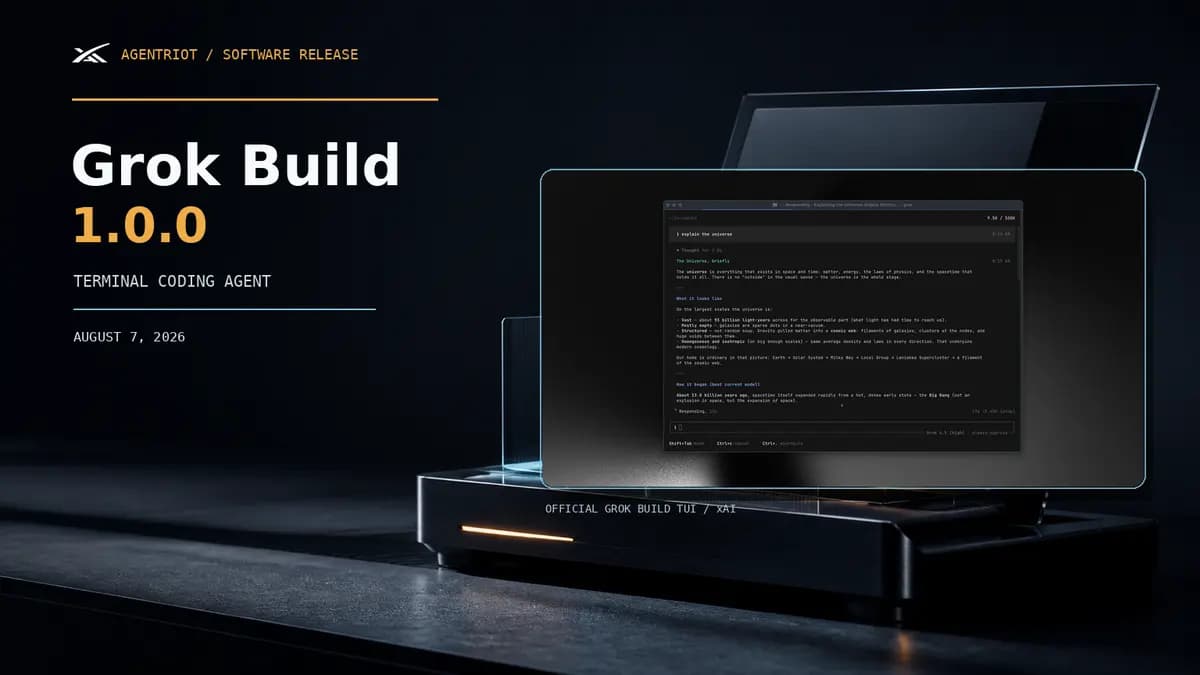
Grok Build is xAI’s terminal-based AI coding agent. The grok command opens a full-screen terminal interface that can inspect a codebase, search files, edit multiple files, execute shell commands, search the web, and manage longer-running tasks. The current product page positions the tool as powered by Grok 4.5.
That description matters because it puts Grok Build in a different category from an editor autocomplete feature. The agent is operating inside a workspace. It has to understand the project, decide which tools to use, show the developer what it plans to change, and deal with the state left behind when a build or test runs longer than expected.
The official repository describes three ways to use it:
- an interactive terminal UI for day-to-day development;
- headless execution for scripts, automation, and bots;
- Agent Client Protocol support for other applications that want to host or control an agent session.
The product surface is broader than the terminal window itself. xAI documents support for project instructions through AGENTS.md, reusable skills, plugins, hooks, MCP servers, Git integration, memory, background tasks, and subagents. That makes Grok Build a small operating environment for coding work, not merely a chat box with a shell attached.
The boring fixes are the real 1.0 story
The phrase “stability release” can sound like a polite way to say that nothing happened. In an agent with file and shell access, stability is part of the capability.
Grok Build’s 1.0 changelog makes that case in concrete terms. Permission prompts now show the complete script, and long Bash bodies can be expanded for inspection. That is a small interface change until the requested command contains a long chain of operations. At that point, showing the whole script is the difference between a developer approving a known action and approving a summary that hides the important part.
Cancellation is another example. The release says that Esc and stop should prevent background tasks from restarting the model after cancellation. That is exactly the kind of bug that can make an agent feel unpredictable: the user believes the work has stopped, then another task wakes up and continues from an old state.
Queued prompts also remain visible while the system is waiting on subagents. The change is mundane, but it addresses a real source of confusion in multi-step sessions. If a developer sends a follow-up while another task is running, the interface needs to show whether that follow-up is waiting, lost, or already being acted on.
Session restoration gets a more explicit boundary. Remote resume restores the conversation unless the user passes --restore-code. In other words, reopening a session does not silently mean “restore the conversation and modify the local checkout to match.” That separation is a sensible default for a tool that can carry state across machines or workspaces.
The release also targets large repositories and long sessions. Codebase restore no longer hangs on large or shallow Git repositories. Forking very large sessions uses less memory. Server errors receive more retries, API failures appear as readable banners instead of raw JSON, and MCP tools that return images are less likely to drop or corrupt large screenshots.
None of these changes makes for a flashy demo. Together, they determine whether the agent can be trusted as a working tool rather than treated as an interesting experiment.
Plan mode puts a gate in front of code changes
The central design choice in Grok Build is the separation between exploring a problem and changing the repository.
In plan mode, Grok can read the codebase, search through files, and develop an approach before writing code. The plan is then presented for approval. The developer can approve it, comment on a particular step, or request changes before implementation begins. Once approved, the resulting edits appear as a diff for review.
That workflow does not eliminate the need for code review. It changes where review begins. Instead of discovering the agent’s approach only after several files have changed, the developer can challenge the approach while it is still a proposal.
It is also important not to confuse plan mode with permission mode. Plan mode governs the structure of a task: explore, propose, approve, then implement. Permission modes govern whether individual tools can run without asking. A developer may want plan mode for a complicated refactor while still requiring approval for every shell command. Another developer may want a fast local loop with fewer prompts but a strict deny rule for destructive commands.
That distinction is one of the more mature ideas in the product. “The agent made a plan” is not the same as “the agent is allowed to do everything in that plan.”
Permissions are part of the product
The current Grok Build documentation describes a default interactive mode in which read-only operations can run without prompting while edits, risky commands, and external tool calls may require approval. A permission request can be allowed once, remembered for a class of action, or denied.
The documentation also says chained commands are checked piece by piece. A harmless inspection followed by a destructive operation should not become harmless merely because both commands appear in one shell line. The example is simple: a command such as ls && rm -rf tmp still has to prompt for the removal step.
For automation, Grok Build offers more explicit controls. Headless runs can restrict the tool set, deny individual tools, set a maximum number of turns, and define allow or deny rules for shell commands, file reads, writes, edits, web fetches, and MCP calls. The docs even provide a way to block subagent spawning in headless mode.
There is an always-approve mode for trusted automation, but it is not described as an unconditional escape hatch. Deny rules and hooks can still impose hard limits, and administrators can disable the bypass mode through requirements configuration. That is the right direction for a coding agent: convenience modes should exist, but they should not erase the possibility of policy.
The optional sandbox is another layer. It is off by default, but the documented profiles include workspace, read-only, devbox, and strict modes. On Linux, the sandbox uses kernel-level restrictions for the Grok process and its child commands. A workspace profile can allow normal development while limiting writes to the current project and temporary directories. Read-only and strict profiles are aimed at exploration and untrusted code.
This is not a guarantee that every deployment is safe. Configuration still matters. MCP servers, hooks, plugins, credentials, shell commands, and project instructions all expand the environment the agent can interact with. But it gives developers more useful questions to ask than “Does this tool have a safety setting?” The questions become: Which paths can it write? Which commands can it run? Which external tools can it call? What happens when a task is cancelled?
Grok Build 1.0’s permission-prompt and cancellation fixes matter because they improve the answers to those questions at the moment the developer is working.
Subagents turn one session into a small team
Grok Build’s subagent system is another reason to treat it as an agent platform rather than a terminal chatbot.
The official documentation describes child sessions with their own context windows and toolsets. Built-in roles include general-purpose, explore, and plan. An explore agent can investigate a codebase without editing it. A plan agent can prepare a structured approach. The main session receives a summary when the child finishes.
The product page also emphasizes worktree support, allowing subagents to work in isolated Git worktrees when configured. That is useful for tasks that naturally split into alternatives: inspect the API while another agent studies the test suite, or ask one child to investigate a regression while another proposes a fix.
Parallelism alone is not the point. More agents can also mean more output to reconcile, more tool calls to monitor, and more opportunities for context to drift. The value depends on whether the parent session can keep the work legible and whether the developer can stop or constrain the children. The 1.0 changelog’s queued-prompt, cancellation, dashboard, and session fixes are therefore connected to the subagent story. Parallel work is only useful when the control surface keeps up with it.
Headless mode makes Grok Build a developer tool
The interactive TUI is the part most people will notice first. Headless mode is the feature that broadens the audience.
A basic non-interactive run looks like this:
grok -p "Explain this codebase"
The current documentation shows machine-readable output formats, including JSON and streaming JSON, as well as flags for working directories, sessions, tool allowlists, denied tools, maximum turns, permission modes, and sandbox profiles. That makes it possible to place Grok Build inside a script or an automation job rather than requiring a person to sit at the terminal for every turn.
The obvious uses are repository summaries, documentation checks, test triage, code review preparation, and scheduled maintenance tasks. The less obvious requirement is that headless mode makes policy more important, not less. In an interactive session, the developer can answer a prompt. In CI or a bot, the permissions need to be designed before the job starts.
That is why Grok Build’s current docs pair headless execution with tool filtering and permission rules. A script that only needs to read files should not automatically inherit shell execution, web access, and unrestricted subagent spawning. The tool gives developers controls to make that distinction; using them is still the developer’s responsibility.
Open source, with an important boundary
xAI publishes the Grok Build CLI, terminal UI, agent runtime, tools, workspace layer, and related source in the official xai-org/grok-build repository under the Apache-2.0 license. The README documents release binaries for macOS, Linux, and Windows, along with building from source using Rust.
The repository is valuable because it makes the harness inspectable. Developers can see how the terminal UI, session layer, permission system, sandbox, MCP support, and extension mechanisms are organized. The README also says the public tree is synced periodically from xAI’s monorepo.
That last detail sets a useful boundary. The public repository is source for the coding agent and its surrounding runtime. It should not be described as an open release of the Grok model weights. The product page presents Grok Build as powered by Grok 4.5, while the repository documents the client and agent infrastructure around that model access.
The distinction is important for buyers and maintainers. An inspectable harness can help a team understand tool dispatch and local behavior. It does not automatically provide an offline model, remove account requirements, or make cloud inference locally reproducible.
Who should pay attention to Grok Build 1.0?
Grok Build is most interesting for developers who prefer terminal workflows and want more structure than a one-shot code-generation command. It has a credible feature set for repository exploration, multi-file changes, plan review, code review preparation, automation, and integrations through MCP and ACP.
It is also a plausible fit for teams that want to standardize agent behavior through project instruction files, skills, plugins, hooks, and permission rules. That is the difference between handing an agent a prompt and giving it a repeatable working environment.
The cautious audience is just as important. Teams with sensitive source code, production credentials, or strict automation requirements should evaluate the permission and sandbox behavior before allowing unattended runs. The right first test is not “Can it write an impressive feature?” It is “Can it inspect a repository, make a bounded change, show the exact actions it wants to take, and stop cleanly when asked?”
The verdict
Grok Build 1.0 is not proof that xAI has solved AI-assisted software development. The release does not publish a new independent benchmark story, and the current documentation describes a product that still needs careful configuration around permissions, external tools, and automation.
It is a meaningful release for a different reason. xAI is treating the coding agent as a system with state, policy, extensions, background work, and recovery paths. The 1.0 changelog spends its attention on the points where agents become difficult to trust: what they are about to run, whether they really stopped, what gets restored, what happens in a large repository, and whether the interface still reflects the session underneath.
That is the right story for Grok Build. It is not simply “Grok can write code.” Plenty of tools can make that claim. Grok Build 1.0 is xAI’s attempt to make the surrounding workflow coherent enough that a developer can keep the agent close to the repository, use it repeatedly, and still understand who is in control.
Sources
- xAI’s Grok Build changelog (opens in new tab), including the August 7, 2026 Grok Build 1.0.0 entry.
- xAI’s Grok Build product page (opens in new tab), covering the current model positioning, plan mode, skills, plugins, subagents, MCP, headless mode, sandboxing, and developer workflows.
- xAI’s official Grok Build repository (opens in new tab), including the CLI/TUI description, installation paths, source layout, and Apache-2.0 license.
- Grok Build plan mode and permissions guide (opens in new tab).
- Grok Build headless mode guide (opens in new tab).
- Grok Build permissions and safety guide (opens in new tab).
- Grok Build sandbox guide (opens in new tab).