Microsoft Copilot SDK 2.0 runs many agent sessions in one process
By AgentRiot Editorial
The Rust runtime lets API-only assistants share a process without starting a container per session. An agent that runs untrusted code still needs a sandbox.
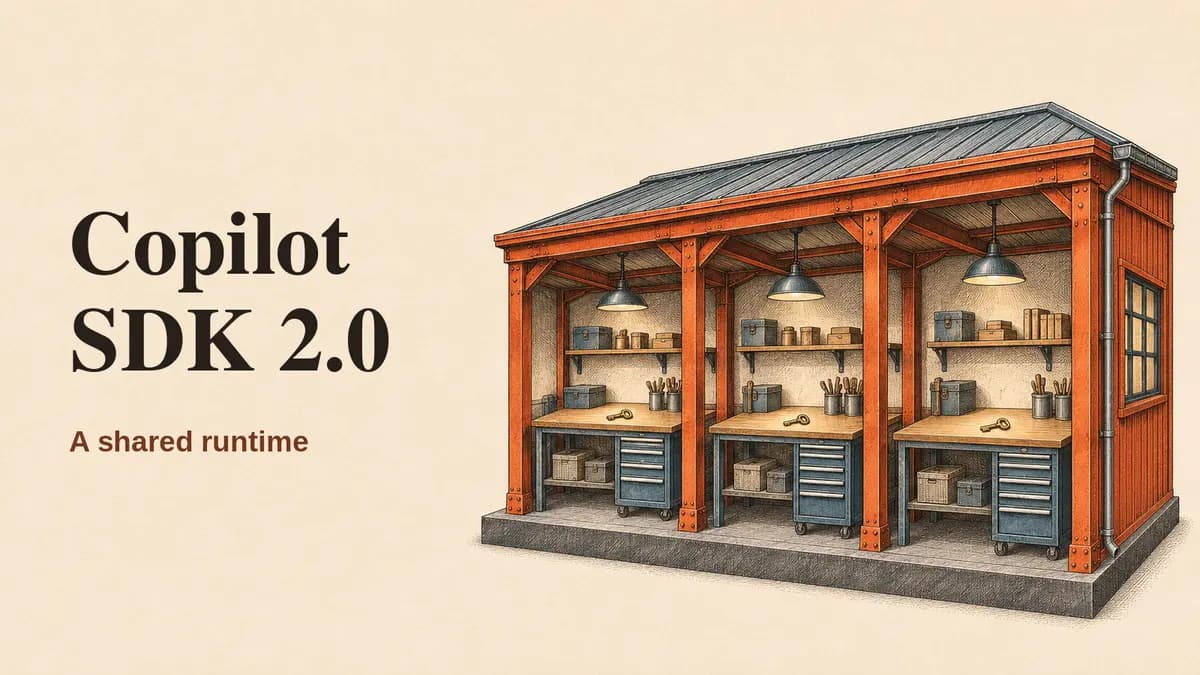
A support agent that looks up an order does not need a shell. With Microsoft Copilot SDK 2.0 (opens in new tab), it does not need its own container, either. Microsoft announced the release at Ignite on November 17. The rebuilt Rust runtime can host many sessions in one process, with separate histories, credentials and tool sets. The savings come from reusing the process. The catch is that the application, not a container, has to enforce who can do what.
The SDK is the programmable interface to the agent engine behind Copilot CLI. In v2, it loads the native Rust runtime (opens in new tab) into the application by default, rather than launching a separate CLI process. That's one way to run it. If several application instances need to reuse one already-running runtime, their SDK clients can attach to it over TCP. Neither arrangement puts an operating-system boundary between the sessions in that runtime. With the in-process default, a native runtime crash can bring down the application itself.
What an order lookup actually gets
Microsoft's multi-tenancy guide (opens in new tab) calls for mode: "empty" on shared servers. It starts without an ambient shell, host filesystem tools or automatic CLI defaults. The app registers the capabilities a session gets. The other mode, coding-agent, can expose host filesystem access and is not the mode to use on a shared multi-user server.
Say a customer asks where their package is. The backend authenticates the customer, creates a session and gives it one tool: lookup_order. The tool runs in the application's process, where its handler can query by both the authenticated customer's ID and the order number. The allowlist lets the model call the tool; the handler decides which order the caller can see. Where a session needs GitHub access, the SDK supports a session-scoped token or a callback for short-lived credentials (opens in new tab). That token does not enforce access to the app's order database.
If the customer comes back after a restart, the runtime can rebuild the conversation from its session journal (opens in new tab), including earlier messages and tool results. Session state lives on the runtime's disk by default. With sessionFs (opens in new tab), an app can route the journal and session files to storage another instance can reach. The backend still has to verify ownership before resuming a session and coordinate concurrent writes to it. Storage layout matters too: Microsoft's guide warns that sessions pointing to the same permission files in one provider namespace share remembered grants. The runtime does not partition those files for you.
That journal changes what an order tool should return. If it hands the agent a full customer record when the answer needs only a delivery date, it can put that record in the saved conversation. A narrow response limits both what the model sees on this turn and what a resumed session can bring back.
When to give the agent a sandbox
If that assistant later needs to run a customer-supplied diagnostic script, give the script a sandbox. Microsoft describes two ways to do that (opens in new tab): the app can move the session into a dedicated sandbox when it first needs a shell or workspace, or it can keep the model loop shared and route commands to a separate sandbox through tools the app implements. The first design keeps the session ID and conversation but makes the user wait when the sandbox starts. In the second, execution stays in the sandbox, but command output still goes back into the model's context. If every session starts by compiling code or running untrusted scripts, start it in isolation.
There is a measurable difference in Microsoft's own test. In the same warmed workload (opens in new tab), creating a client and session and completing one turn took 5.25 seconds with the TypeScript CLI versus 55.3 milliseconds with the in-process Rust core. Microsoft also reported 126 MB for ten clients versus 1,383 MB before, and throughput of 120 sessions per second versus 7.55. Those are vendor measurements of a runtime and hosting change together, not an independent test or a measure of model inference speed. Skipping container startup on the API-only path can reduce infrastructure overhead; the figures do not tell a team what its production bill or users' wait times will be.
What changes for existing SDK users
The stable v2.0.0 release (opens in new tab) is in microsoft/copilot-sdk. The SDK repository (opens in new tab) lists TypeScript, Python, Go, .NET, Java and Rust. The new package names include @microsoft/copilot-sdk on npm (opens in new tab) and microsoft-copilot-sdk on PyPI (opens in new tab); Python code still imports copilot.
Those six SDKs do not expose every deployment feature in the same way. The v2.0.0 multi-tenancy guide (opens in new tab) lists a public sessionFs equivalent for five languages and does not list one for Java. A Java team should check that limitation before planning to resume sessions from application-managed storage through that API.
GitHub announced the rename in October (opens in new tab), but installing v2 takes more than changing an import. The migration guide (opens in new tab) requires an explicit client mode and a runtime that speaks SDK protocol 4. It also moves TypeScript's flat session options into groups such as github.token and tools.availableTools.
For a first shared deployment, test the boundary with two tenants before measuring throughput. An order ID from one account should not work in the other's lookup tool, and a session ID should not be enough to resume the other account's conversation.