ChatGPT Images 2.5 splits the stack: Sketch in chat, Flare and Sunburst in the API
By AgentRiot Editorial
OpenAI’s September 8 launch puts a faster image model on ChatGPT and Codex, and gives API users two new IDs that keep GPT Image 2 token rates.
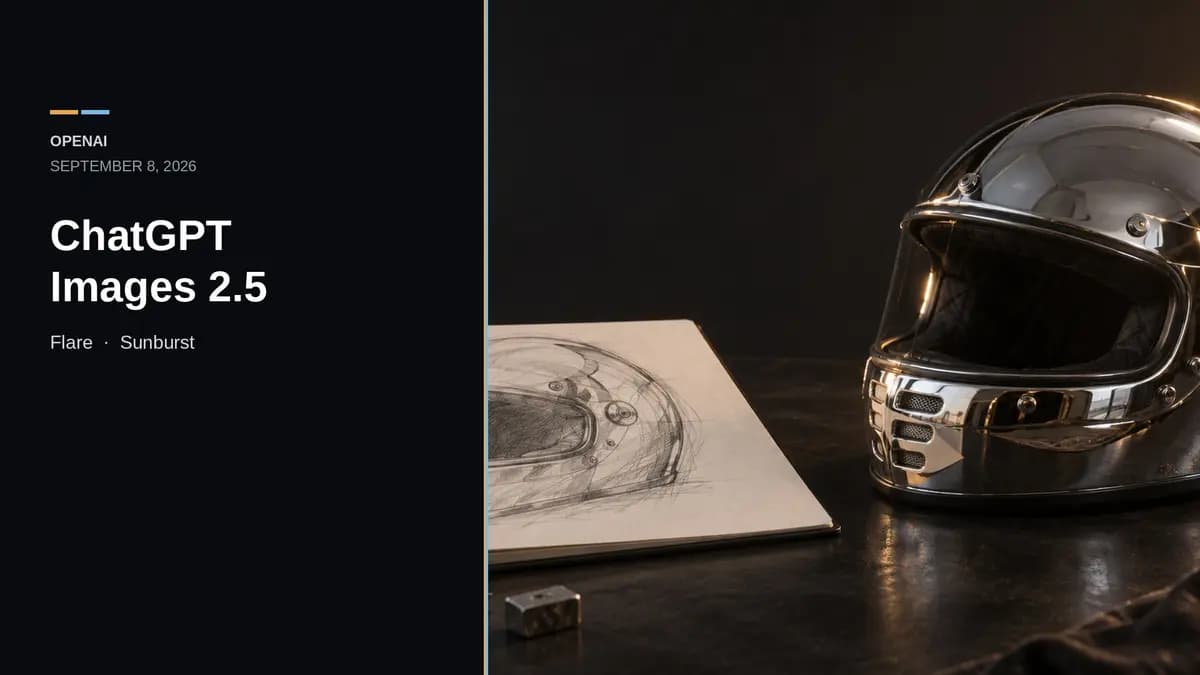
OpenAI shipped ChatGPT Images 2.5 (opens in new tab) on September 8, 2026. The ChatGPT side of the launch is a set of product controls: Sketch (opens in new tab), starting templates, comments on a generated image, and the option to share the prompt behind a result. The API side is a split. gpt-image-2.5-flare (opens in new tab) is the speed model. gpt-image-2.5-sunburst (opens in new tab) is the precision model. Both use the same published token rates as GPT Image 2.
OpenAI announced the launch on X (opens in new tab). The company blog (opens in new tab) is the fuller account of what shipped.
What ChatGPT actually got
The launch post says Images 2.5 is rolling out to ChatGPT, ChatGPT Work, and Codex users across all tiers on desktop, mobile, and web. OpenAI’s own September 8 Help Center note (opens in new tab) is narrower on the new controls:
- Templates live under Images → Templates. They are not yet available in Work mode.
- Sketch is documented as a mobile flow: type
@in the message box, pick Sketch, draw, then describe the image. - Comment-based edits are documented as a mobile full-screen flow.
- Existing image-generation limits are unchanged.
The Help Center Images page (opens in new tab) still lists ChatGPT Images on all tiers, on web, iOS, and Android. It also says “Images with thinking” is Plus, Pro, and Business, with Enterprise and Edu still queued. That is a separate access line, not proof that every Images 2.5 control is on every surface.
Codex’s image-generation docs (opens in new tab) already describe a desktop Comment control in Canvas view, which is broader than the Help Center’s mobile wording. The same Codex page still says built-in image generation uses gpt-image-2 and burns included limits 3–5x faster than similar turns without images. Treat the Codex model ID as unverified against the Images 2.5 rollout until that page changes.
Vendor claims worth keeping labeled as vendor claims: more natural lighting and textures, better subject preservation from reference photos, more reliable multi-turn edits, and up to 50% lower generation latency versus Images 2.0. OpenAI also says people create more than 3 billion images a week across ChatGPT Images and the GPT Image API. That figure is OpenAI-reported; it is not an independent traffic count.
The API split is the part that changes a build
OpenAI’s image generation guide (opens in new tab) now defaults the story to two IDs:
| Model | ID | Snapshot | Docs pitch |
|---|---|---|---|
| Flare | gpt-image-2.5-flare | gpt-image-2.5-flare-2026-09-08 | Fast, high-quality everyday generation |
| Sunburst | gpt-image-2.5-sunburst | gpt-image-2.5-sunburst-2026-09-08 | Most capable generation and editing |
The prompting guide (opens in new tab) is more useful than the marketing page if you already run GPT Image 2 in production. If a current GPT Image 2 workflow already meets quality, start with Flare and test for latency. If GPT Image 2 is already failing a complex case, start with Sunburst and only drop to Flare after it still passes. Both models support generation, editing, inpainting, and transparent backgrounds.
That guidance conflicts, slightly, with the launch post. The blog says Flare delivers higher-quality images than GPT-Image-2 at 50% lower latency. The prompting guide says Flare’s image quality is comparable to GPT Image 2, and Sunburst is the one with higher quality. OpenAI also tells developers to measure response time on their own prompts, sizes, and quality settings rather than inherit a fixed speedup.
New output knobs matter more than the names. Both 2.5 models add xhigh and max quality on top of low / medium / high / auto. Custom sizes go up to 4K (3840x2160 or 2160x3840), with edges as multiples of 16, aspect ratio no wider than 3:1, and total pixels between 655,360 and 8,294,400. Resolutions above 2560x1440 are experimental. Transparent assets need background="transparent" and PNG or WebP.
Call path: set model on the Image API (/v1/images/generations and /v1/images/edits). In the Responses API, pick a supported mainline model at the top level and put Flare or Sunburst in the image-generation tool field. The model cards list Responses as unsupported because these IDs are not top-level chat models. GPT Image use can still require API organization verification (opens in new tab).
Documented limits have not disappeared. Complex prompts can take up to two minutes. Text placement can still fail. Recurring characters and brand marks can still drift. If a region must stay pixel-identical, OpenAI’s own prompting guide says to composite the approved edit back onto the original instead of trusting another generation pass.
Same token prices. Unknown tokens per image.
On the current API pricing page (opens in new tab), Flare and Sunburst match GPT Image 2:
- Image tokens: $8 / 1M input, $2 / 1M cached input, $30 / 1M output
- Text tokens: $5 / 1M input, $1.25 / 1M cached input
The model pages say the GPT Image 2 calculator does not estimate GPT Image 2.5 token consumption. The generation guide is explicit that equal rates do not mean equal cost per image: token counts can differ by model and quality setting. Batch pricing on that same page still lists GPT Image 2 and older IDs; it does not list Flare or Sunburst.
Independent scores are preliminary, not a coronation
LMArena’s text-to-image leaderboard (opens in new tab), checked September 8, 2026, already lists both new IDs at the top, both marked Preliminary:
gpt-image-2.5-sunburst: 1421 ± 13, 3,149 votesgpt-image-2.5-flare: 1399 ± 13, 2,856 votesgpt-image-2 (medium): 1381 ± 4, 78,731 votes
That is arena data, not an OpenAI slide. It is also a thin sample next to GPT Image 2’s vote count, and it is a text-to-image overall board, not a rerun of OpenAI’s editing demos. The “#1 and #2” labels are still preliminary.
Safety stack, not a blank check
The Images 2.5 system card (opens in new tab) says the models did not cross OpenAI’s Bio High or Cyber High thresholds on adapted image-rendered capability tests. OpenAI still applies precautionary biological-risk mitigations. Provenance is C2PA metadata plus SynthID (opens in new tab) invisible watermarking in ChatGPT, Codex, and the API.
On OpenAI’s adversarial safety set, “unsafe generation presented” is 1.09% for Sunburst, 1.41% for Flare, and 1.64% for ChatGPT Images 2.0. Those are lab numbers on prompts designed to violate policy, not production rates.
What to do with it
ChatGPT users should try Sketch and templates where the Help Center says they exist, and should not expect extra quota from this launch. Work-mode users should not wait on templates.
API users should not rewrite every pipeline tonight. Keep GPT Image 2 as a rollback. Run the same prompts through Flare first if quality already clears; use Sunburst only where the extra precision shows up in identity, layout, small text, or a long edit chain. Log usage per accepted image at each quality tier before treating the 50% latency line as a cost cut.