Open Design turns Claude Design’s artifact loop into an open-source local workflow
By AgentRiot Editorial
Open Design is a local-first, Apache-2.0 design studio that uses your existing coding-agent CLI, file-based skills, portable design systems, and a sandboxed artifact preview loop to generate pages, decks, apps, documents, and media.
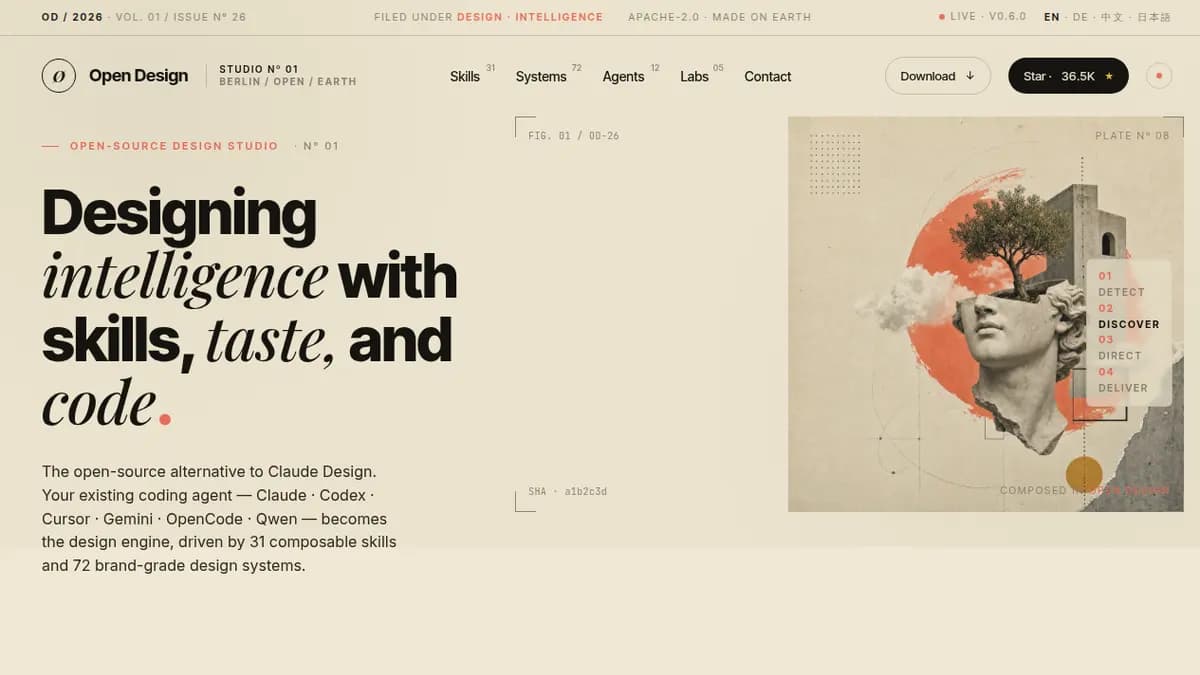
Open Design takes the idea behind Claude Design and moves it into a local, inspectable workflow.
Claude Design made a simple point feel obvious: an AI tool is more useful when it produces a real artifact instead of another page of advice. Ask for a deck, a landing page, a product mockup, or a social card, and the model should come back with something you can see, edit, export, and ship.
The catch is that Claude Design is closed. It runs in Anthropic's product, depends on Anthropic's model stack, and keeps the interesting parts of the design workflow behind the wall: the prompts, the skills, the visual rules, and the artifact pipeline.
Open Design is a direct answer to that. The project, maintained at nexu-io/open-design on GitHub and licensed under Apache-2.0, describes itself as the open-source alternative to Claude Design. The phrasing is accurate, but it also undersells the project a little. Open Design is not just a clone of the visible UI. It is an attempt to make the whole artifact loop editable: the agent runtime, the prompt stack, the skills, the design systems, the local project storage, and the preview/export surface.
The core idea: your coding agent becomes the designer
Open Design does not ship its own proprietary model. That is the most important architectural choice in the project.
Instead, the local daemon scans your machine for coding-agent CLIs already available on PATH. The README lists support for tools including Claude Code, Codex CLI, Devin for Terminal, Cursor Agent, Gemini CLI, OpenCode, Qwen Code, Qoder CLI, GitHub Copilot CLI, Hermes, Kimi, Pi, Kiro, Kilo, Mistral Vibe, and DeepSeek TUI. When the daemon finds one, it can use that CLI as the design engine.
That matters because the agent is not trapped in a toy browser sandbox. Open Design spawns the chosen CLI inside a real project folder under .od/projects/<id>/. The agent can read files, write files, run commands, fetch references, and use the assets that belong to the selected skill. The output is not just a chat transcript. It is a project directory with files you can inspect afterward.
If you do not have a supported CLI installed, Open Design has a fallback path. Its BYOK proxy can route requests to Anthropic, OpenAI-compatible endpoints, Azure OpenAI, or Google Gemini. The project normalizes the response stream back into the same chat/artifact loop, and the daemon includes SSRF protections so the proxy is not just an open tunnel to private network targets.
Skills are files, not a product feature flag
The strongest part of Open Design is its skill system.
Each workflow is a folder with a SKILL.md file, assets, and references. The daemon reads the frontmatter and exposes the skill in the picker. That means a team can add a new design workflow by adding files to the repository instead of waiting for a vendor to support a new mode.
The current GitHub README describes 31 built-in skills. They cover the obvious design surfaces: web prototypes, SaaS landing pages, dashboards, pricing pages, documentation pages, blog posts, mobile app screens, onboarding flows, product-launch emails, social carousels, magazine posters, motion frames, sprite-style animations, and deck modes. It also includes more operational formats such as PM specs, meeting notes, kanban boards, engineering runbooks, finance reports, invoices, HR onboarding plans, and team OKRs.
The practical effect is that Open Design is not limited to "make me a pretty page." It can steer the agent into different artifact shapes. A mobile onboarding flow uses phone frames. A deck uses a horizontal presentation framework. A product spec uses a document layout. A social carousel uses square card constraints. The skill gives the model a narrower job and a set of references before it starts writing.
Design systems are Markdown, not hidden theme settings
Open Design also treats design systems as files.
The project uses DESIGN.md documents as portable design-system definitions. These describe color, typography, spacing, layout, components, motion, voice, brand rules, and anti-patterns. The README says the shipped catalog includes product systems inspired by names such as Linear, Stripe, Vercel, Airbnb, Tesla, Notion, Anthropic, Apple, Cursor, Supabase, Figma, Resend, Raycast, Lovable, Cohere, Mistral, ElevenLabs, xAI, Spotify, Webflow, Sanity, PostHog, Sentry, MongoDB, ClickHouse, Cal, Replicate, Clay, Composio, and Xiaohongshu.
That is the right layer of abstraction. A model can generate a button, but without constraints it tends to slide back into the same purple gradient, generic icon, and Inter-heavy startup look. A DESIGN.md file gives the run a palette, type stance, spacing rhythm, component language, motion rules, and things to avoid.
For teams, the important part is not the built-in catalog. It is the fact that the catalog is editable. A company can put its own brand system into design-systems/<name>/DESIGN.md, restart the daemon, and make that system available to the same skills.
The discovery form is there to stop the first bad turn
Open Design borrows one of the best lessons from human design work: do not let someone start painting before the brief is clear.
The project enforces a first-turn discovery form. Before the agent writes an artifact, it asks about the surface, audience, tone, brand context, scale, and constraints. If no brand direction exists, Open Design can present five curated visual directions. The README names them as Editorial Monocle, Modern Minimal, Warm Soft, Tech Utility, and Brutalist Experimental, each with a deterministic OKLch palette and font stack.
This is a small product detail with a big effect. Many AI design runs fail because the first answer commits to the wrong taste. Once the model has generated a finished mockup, the user has to spend the next turn saying, "No, not like that." Open Design moves that correction earlier. A 30-second form is cheaper than a full redesign.
The artifact loop: plan, write, preview, export
The generation loop is built around visible progress.
After discovery, the agent streams a todo plan into the UI. Then it writes files in the project workspace and emits a single <artifact> payload. The web app parses that artifact and renders it in a sandboxed iframe. Users can inspect the output, keep editing the project files, and export the result.
The documented export formats include HTML, PDF, PPTX, ZIP, and Markdown, depending on the artifact and skill. Deck mode is especially interesting because Open Design bundles guizang-ppt-skill, which is built for magazine-style web presentations with strong layout and export expectations.
Open Design also supports importing Claude Design export ZIPs. Drop the ZIP into the welcome dialog and the daemon parses it into a real local project. That makes Open Design a migration path, not just an alternative starting point. A team can begin in Claude Design, export the work, then continue editing locally with its own agent and files.
Media generation is part of the same workspace
Open Design is not only about HTML screens.
The project includes media-generation surfaces beside the artifact workflow. The README and official site reference gpt-image-2 for posters, avatars, infographics, illustrated maps, and social cards; Seedance 2.0 for text-to-video and image-to-video; and HyperFrames for turning HTML into MP4 motion graphics such as product reveals, kinetic typography, charts, overlays, and outros.
The useful part is that these are treated as project assets. A generated image or motion clip can live next to the HTML, deck, or document that uses it. That is closer to how creative work actually happens: the page, the image, the video, and the supporting files belong to one project rather than separate chat threads.
Local storage and an optional desktop shell
Open Design stores state locally.
On first run, the daemon creates a .od/ directory. The SQLite database at .od/app.sqlite tracks projects, conversations, messages, tabs, and saved templates. Project files live under .od/projects/<id>/, and saved renders live under .od/artifacts/. The daemon can also use OD_DATA_DIR to relocate the data directory.
The web layer is a Next.js app. The daemon is Node/Express with SQLite and server-sent events. The project can run locally with pnpm tools-dev, use Docker Compose, deploy the web layer to Vercel, or run as a packaged Electron desktop app. The desktop shell uses a sidecar IPC channel for status, evaluation, screenshots, console inspection, clicks, and shutdown.
That combination makes Open Design more operator-friendly than a pure hosted tool. You can run it on a laptop, inspect the files, move the data directory, reset the workspace, or package the desktop app. You are not waiting for a remote product to expose the knobs you need.
MCP makes Open Design less of a silo
One newer feature worth watching is od mcp.
Open Design can expose the current project through a stdio MCP server. Other MCP-aware tools can read project files, search the workspace, and inspect metadata. The docs describe this as read-only at the edge, which is the right default. It lets another coding assistant see the artifact work without giving every connected tool write access or network access.
This is where Open Design starts to look less like a single app and more like a creative workspace protocol. A designer can generate the artifact in Open Design, then let another agent review the files, explain the structure, or continue a related implementation task.
Where it is strongest
Open Design is strongest when the work benefits from taste constraints and repeatable formats.
A generic chat model can already write a single HTML page. Open Design adds the missing structure around that ability: discovery before generation, a selected skill, a selected design system, a filesystem workspace, a live preview, and export paths. The result should be more consistent, easier to revise, and easier to teach to a team.
It is also a good fit for agencies and technical founders. Agencies can build client-specific skills and design systems. Founders can move from "rough idea" to a landing page, pitch deck, product mockup, social card, and internal spec without splitting the work across five separate tools.
The other strong fit is teams that cannot use a closed hosted design agent for sensitive work. Open Design is not automatically private just because it runs locally; your chosen model provider still receives whatever you send through it. But the project structure, storage, prompts, and skills are under your control, and the runtime can use whatever CLI or endpoint your team approves.
The rough edges to expect
Open Design is moving quickly. The README, GitHub repository description, official site, and community-facing pages do not always show the same counts for skills, design systems, and supported agents. That is common in a fast-moving open-source project, but it means users should check the repository directly before relying on a specific number.
The setup is also more technical than a hosted product. Running from source expects Node around version 24 and pnpm 10.33.x. Docker is available. Desktop releases lower the setup burden, but teams that want to customize skills and design systems will still be living in a developer workflow.
That tradeoff is the point. Open Design gives up the polish and single-vendor simplicity of a closed hosted feature in exchange for local control, editable files, model flexibility, and a design workflow you can inspect.
Why it matters
Claude Design proved there is demand for artifact-first AI design. Open Design asks the obvious follow-up question: why should that workflow be locked to one vendor?
The answer is a working open-source stack. Agents are adapters. Skills are files. Design systems are Markdown. The preview is a sandboxed iframe. Projects live on disk. Exports are real files. If the default behavior is wrong, you can open the prompt, skill, or design system and change it.
That is a much more interesting direction than another AI design demo. Open Design is building the boring, useful parts around the demo: repeatability, editability, portability, and local ownership. Those are the parts teams need after the first impressive screenshot.