

Codex moves inside ChatGPT, turning the desktop app into a developer workspace
By AgentRiot Editorial
OpenAI has folded its standalone Codex experience into a new ChatGPT desktop client for macOS and Windows. The migration preserves existing projects while adding direct editing, pull-request review, multi-repository projects, and faster computer use.
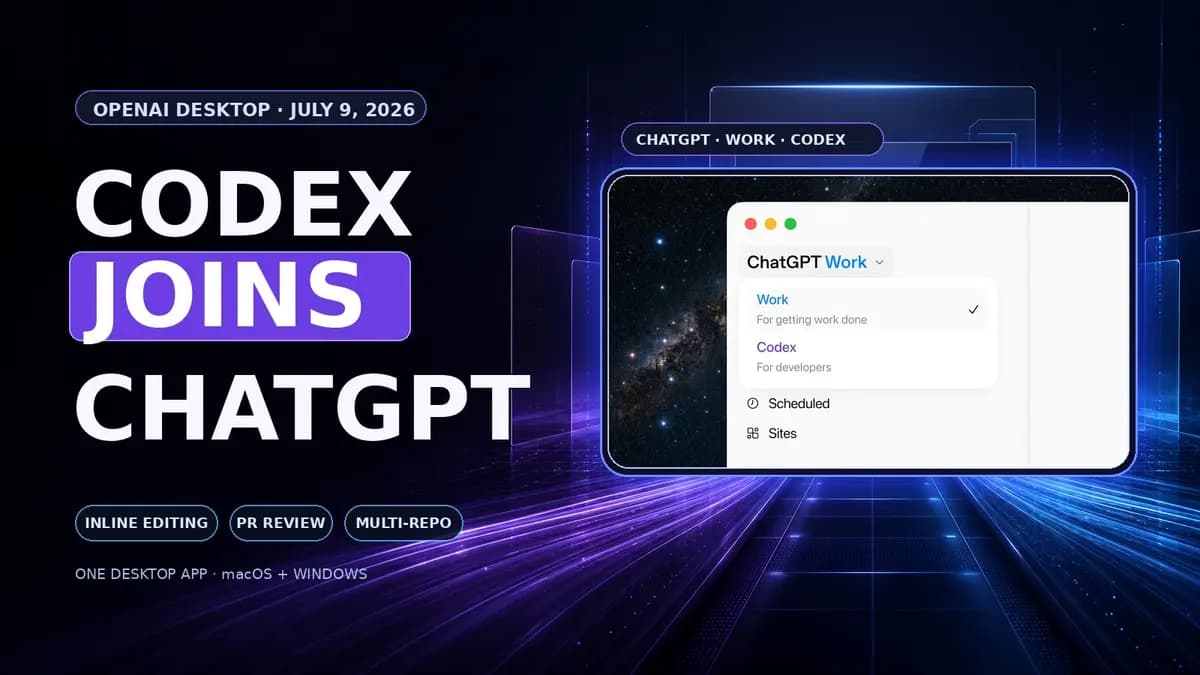
OpenAI has stopped treating Codex as a separate destination on the desktop. On July 9, the company folded the Codex app into a new ChatGPT client for macOS and Windows, placing coding agents beside Chat and ChatGPT Work.
The move is larger than a renamed installer. Existing Codex projects and workflows are supposed to survive the update, while the combined app gains direct Markdown and code editing, inline annotations, GitHub pull-request review, multi-repository projects, faster computer use, and clearer task progress.
It also creates a slightly awkward migration. People coming from Codex update the app they already have. People using the previous ChatGPT desktop client may install the new app alongside it, leaving the old version on the machine as ChatGPT Classic. OpenAI is consolidating its agent products, but the transition temporarily gives users more ChatGPT icons rather than fewer.
OpenAI’s launch image places Work and Codex inside the ChatGPT desktop shell. Source: OpenAI.
Three working modes, one desktop shell
The new desktop app contains three distinct surfaces:
| Surface | Intended job |
|---|---|
| Chat | Questions, search, and regular conversations |
| Work | Longer research and production tasks involving files, apps, plugins, documents, spreadsheets, presentations, and Sites |
| Codex | Software work involving local repositories, terminals, diffs, developer tools, and remote tasks |
That separation matters. Codex has not been reduced to a button that makes ordinary ChatGPT “code harder.” It keeps a dedicated technical workspace inside the broader app, while ChatGPT Work abstracts more of the agent’s execution for general business tasks.
OpenAI previewed this direction in June, saying Codex functionality would come to ChatGPT “everywhere.” At the time, 9to5Mac interpreted that as functionality moving across products rather than a literal app merger. The July release is more concrete: the Codex desktop app itself becomes the new ChatGPT desktop app after an update.
For existing Codex users, OpenAI says projects, settings, tasks, and workflows should remain available. The updated client opens in Codex for those users, Codex can remain the default view, and macOS users can keep the Codex logo as the application icon.
Existing ChatGPT desktop users follow an in-app prompt to download the new client. The previous app may stay installed as ChatGPT Classic, which OpenAI says will continue receiving model updates, security patches, bug fixes, and support for existing Enterprise capabilities. New agent features such as Work and Codex are centered in the replacement app.
Direct editing closes a common agent loop
The most practical addition is direct editing of Markdown and code inside the app. Users can select content, attach an inline annotation, and ask Codex to revise only that section.
That sounds modest, but it removes a repetitive loop from agent-assisted development. Previously, a developer might read a generated diff, explain a change in chat, wait for another full revision, and then find the relevant section again. Selection-based editing turns the visible artifact into the prompt context.
The same interaction can cover narrow code corrections, documentation cleanup, and structured feedback. A developer can highlight an unsafe function call and request a guarded alternative. A technical writer can select one paragraph in a README and ask for a tighter explanation without reopening the rest of the document.
OpenAI had already been expanding annotations beyond code into documents, spreadsheets, slides, and Sites. Bringing direct editing into the merged desktop client makes that pattern a shared interaction across Codex and ChatGPT Work rather than a specialist feature hidden in a coding app.
OpenAI’s July 9 Codex changelog lists the migration, direct editing, pull-request review, multi-repository projects, and GPT-5.6 computer-use improvements. Source: OpenAI Codex changelog.
Pull-request review moves beside the diff
Codex can now surface GitHub pull requests in the sidebar, with reviewer feedback displayed alongside the changed code. A developer can inspect the request, ask Codex to handle a specific comment, review the resulting diff, and then stage, commit, or push without reconstructing the conversation in another tool.
OpenAI’s code-review documentation adds an important setup detail: the GitHub CLI must be installed and authenticated for Codex to load pull-request context, comments, and changed files. If gh is missing or not signed in, those details may not appear in the sidebar or review pane.
This is less about replacing GitHub than reducing context loss between GitHub and the local checkout. Reviewer comments, the working tree, the agent transcript, and the proposed fix can stay visible in one task. The developer still decides which findings to accept and which changes to ship.
Multi-repository projects target real software systems
The merged app can work across repositories inside one project. OpenAI provides little implementation detail in the release note, so it is too early to know how the app handles very large dependency graphs, conflicting instructions, or repository-specific permissions.
The use case is clear, though. Production work often crosses a frontend, an API, shared libraries, deployment definitions, and documentation stored in separate repositories. An agent restricted to one checkout can diagnose only part of the system or force the developer to manually relay changes between tasks.
A multi-repository project can keep those related codebases in one working context. That could make coordinated API migrations, cross-service debugging, dependency updates, and release preparation less fragmented. It also raises the cost of a bad instruction because the agent can see and potentially modify a wider surface. Repository boundaries, sandbox rules, and approval settings will matter more, not less.
Faster computer use, but no published speed numbers
OpenAI says Computer Use is faster in the new release because it is powered by GPT-5.6. The company did not publish a latency measurement or before-and-after benchmark for this specific app update, so “faster” should be treated as a vendor claim rather than a measured result.
The change still fits the broader direction of Codex. Computer Use lets the agent inspect interfaces and operate approved desktop or browser workflows rather than stopping after it edits source files. A coding agent can change a UI, launch it, inspect the rendered result, and attempt a verification pass in the same task.
OpenAI also says task activity and progress are easier to follow. That improvement may be more important than raw execution speed for long-running work. An agent that spends several minutes navigating tools, running tests, or waiting on builds needs to show what it is doing, where it is blocked, and when it requires input.
Plugin management has moved into Settings, while OpenAI’s documentation still describes plugins as available from Work or Codex. The sensible reading is that installation and administrative controls have been centralized even though plugins remain usable from both working surfaces.
The release also improves mobile connection reliability and fixes video rendering for projects reached over SSH. Those changes reinforce the desktop app as a host for work that can be checked from the ChatGPT mobile app, not as a completely independent mobile Codex experience.
What did not merge
The combined desktop client does not make Codex a selectable mode everywhere. OpenAI’s Help Center says Codex is not directly selectable on the ChatGPT web or mobile interfaces. Supported desktop Codex tasks can be accessed through the Remote tab in the mobile app, but the full local development workspace remains tied to the Mac or Windows host.
Conversation behavior also differs by surface. Regular Chat conversations sync between the web and desktop app. At launch, OpenAI says cloud Work conversations do not appear in desktop Work, while local desktop threads and files remain on that machine.
Availability language needs similar care. OpenAI’s launch post says the updated desktop app is available globally for Mac and Windows and lists Chat, Work, and Codex across every plan, including Free. Its Help Center simultaneously says ChatGPT Work is rolling out gradually to eligible accounts. The app may be broadly downloadable before every account receives every surface or usage allowance.
The strategic shift is distribution, not just coding
The standalone Codex app launched in February as a command center for coding agents. By June, OpenAI was already positioning Codex workflows for analysts, designers, sales teams, and other non-developer roles through plugins, annotations, and Sites. The July merger finishes the distribution step: the coding agent now lives inside the company’s main desktop brand.
That gives OpenAI a larger funnel for Codex and gives developers fewer products to keep in sync. It also puts ChatGPT Work and Codex next to each other, making the boundary between a coding agent and a general work agent more visible. The same plugin system and GPT-5.6 model family can serve both, while Codex exposes the repositories, diffs, terminals, and technical controls developers expect.
The tradeoff is product clarity during migration. Codex users are told their app is becoming ChatGPT. Existing ChatGPT users may see ChatGPT Classic next to the replacement. Work availability varies by rollout and plan. 9to5Mac also reported upgrade-path confusion and noted that the Classic Mac app may feel more native to some users.
Those are transitional problems, but they are not trivial. A desktop agent has access to local files, repositories, terminals, connected services, and potentially computer control. Users need to know which client they are running, which surface is active, and which permissions follow the task.
OpenAI’s new app makes Codex easier to find and more capable once it is open. The real test is whether one shell can stay understandable while Chat, Work, and Codex keep accumulating tools. The merger succeeds only if the convenience of one app does not blur the approval boundaries that make a local coding agent safe to use.
Sources
- OpenAI: ChatGPT is now a partner for your most ambitious work
- OpenAI Codex changelog: Codex joins the ChatGPT desktop app
- OpenAI Help Center: Moving to the new ChatGPT desktop app
- OpenAI: What’s new in ChatGPT and Codex
- OpenAI Codex documentation: Code review
- OpenAI Codex documentation: Projects, chats, and tasks
- OpenAI: Codex for almost everything
- 9to5Mac: OpenAI unveils ChatGPT Work agent and upgraded desktop app
- 9to5Mac: OpenAI putting Codex inside ChatGPT
- MacRumors: OpenAI debuts ChatGPT Work agent and new GPT-5.6 models